WAZU Maple Trainer
My own Windows trainer for familiar games. I explore how information on screen can trigger configurable actions, with control over what the software does.
Explore the project- Game trainer
- Windows software
- Computer vision
- UI engineering
- OCR & data
- Automation
When should a trainer step in — and how do you make that decision understandable?
- My choice
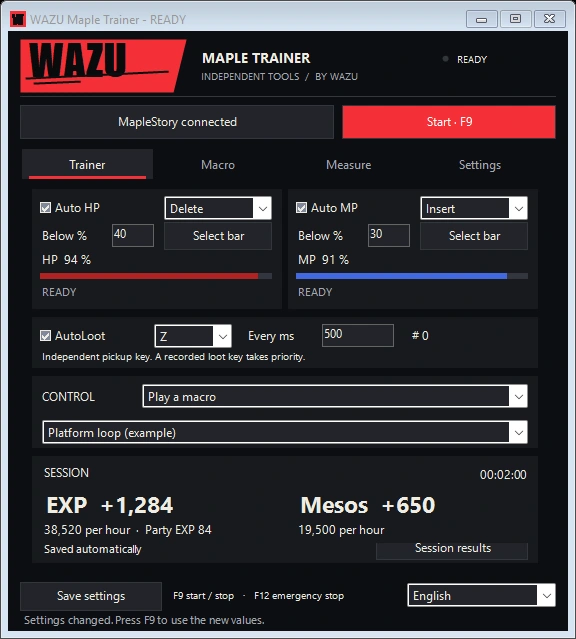
- Screen measurements, thresholds and actions can be configured separately. Feedback shows what each module does.
- What you see here
- A Windows prototype and a small practice battle: choose the autopot threshold and try collecting loot manually or automatically.
The trainer.
The logic in miniature.
For a small group interested in automated gameplay, often returning players over thirty with nostalgic games as their starting point.
WAZU MAPLE TRAINERINTERACTIVE DEMO
Let autopot save you.

Start, or tap the monster yourself.
- EXP
- 0
- Mesos
- 0
- Monsters
- 0
- Potions
- 0
- HP restored
- 0
What does the actual trainer do?
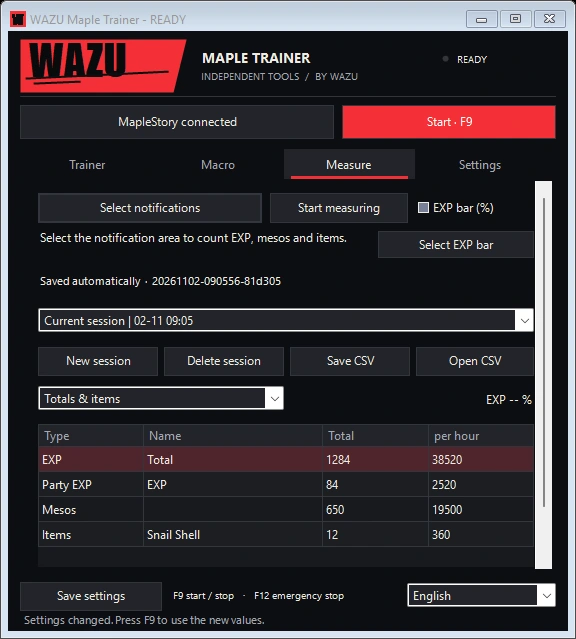
The Windows tool reads selected HP/MP bars and visible reward notifications. Separate modules handle actions, macros and a local session overview. The battle above uses original demo characters and sample values; it is not connected to a game.
About this project
A game as a technical starting point
With WAZU, I am focusing on a small group of players interested in automated gameplay. I also have returning players in their thirties and older in mind, revisiting nostalgic games such as MapleStory.
The design question is technical: what can software read from the screen, when should it respond, and how do you keep that action under control? For MapleStory, I built a Windows tool that brings those rules and their feedback together.
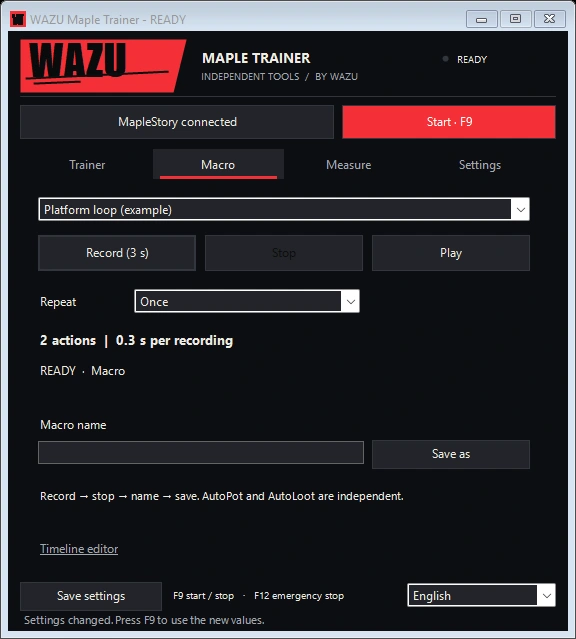
The trainer combines C#, Windows Forms and PowerShell. I separated screen measurements, macros and execution into individual modules. HP and MP come from selected bars; Windows OCR reads visible reward notifications for a local session overview. Macros have their own recording and playback flow.
Understandable controls for automation
Entering a threshold is easy. Showing when the trainer is waiting, measuring or scheduling an action takes more thought. Separate module states, cooldowns, start/stop controls and an emergency stop are therefore part of the design. The interface brings these settings and their feedback together.
Next to the built interface is a small practice battle. Your character has 1000 HP. The monster fights back; one slider determines when autopot steps in. Defeat a monster for EXP and pick up the dropped mesos. Turn on Autoloot to automate collecting them too. This makes the trainer’s logic tangible. The battle and its rewards are browser examples, with no game connected.
Current stage
This is a built Windows prototype. The selected interfaces use sample data. Further client testing and distribution are still open; the case shows the design, modules and their logic.
 Mood Syntax
 Beatrap Studio


 Rank My Cat